Documentation / Synchronization
How "Import" differs from "Sync all"
Both buttons load a supplier price list into Sync2Sys. The difference is who they work for: "Import" is for one supplier with a field check, "Sync all" is for all active suppliers at once. Neither of them sends anything to your store.
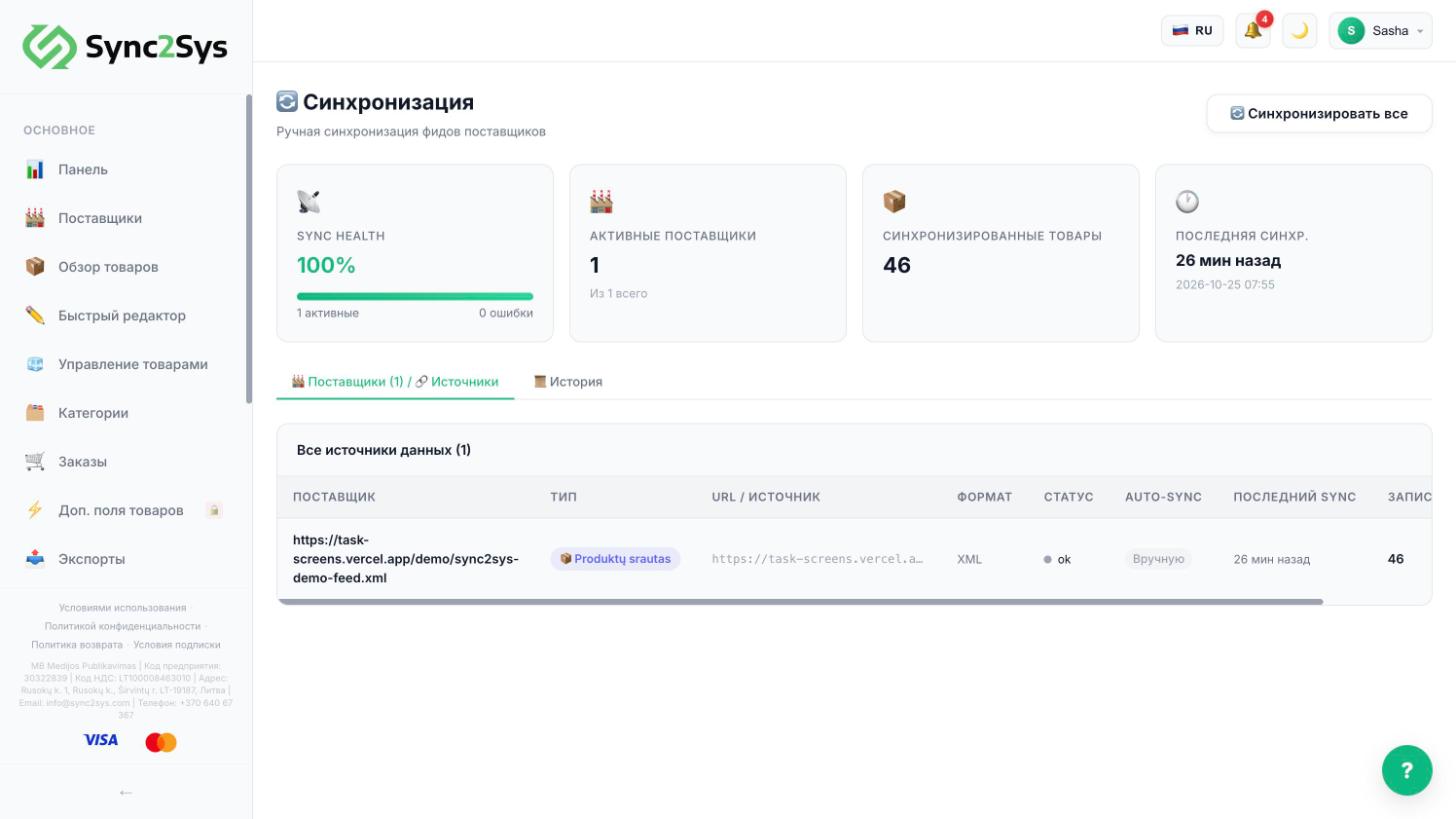
- "Import" (in the supplier row or on the supplier page): loads the price list of one supplier. The first time, it shows the field mapping, which you need to check.
- "Sync all" ("Suppliers" and "Synchronization", it is the same button): rereads the price lists of all active suppliers and updates products, prices and stock in Sync2Sys.
- Sending to your store is started separately, in "Sales Channels". Details are in the article about pushing.
- Start new suppliers with "Import", after that "Sync all" is enough.
TipIf an export has update after import turned on, the export file rebuilds itself after the sync.
See also
How to push products to your storeHow to load supplier productsWhy a product did not update or did not appear
Did not find the answer?In the panel press ? at the bottom right and write in the chat. We reply within one business day, and can set things up for you.